
Stop Manually Copying Table Screenshots: Convert Images to Excel Online
Convert table screenshots, photographed forms and scanned sheets to editable XLSX with DocCrunch Image to Excel OCR. Process JPG and PNG locally in your browser.
Few tasks feel as pointless as copying a table from a screenshot into Excel by hand. A few rows are fine. Dozens of rows turn into slow, error-prone typing.
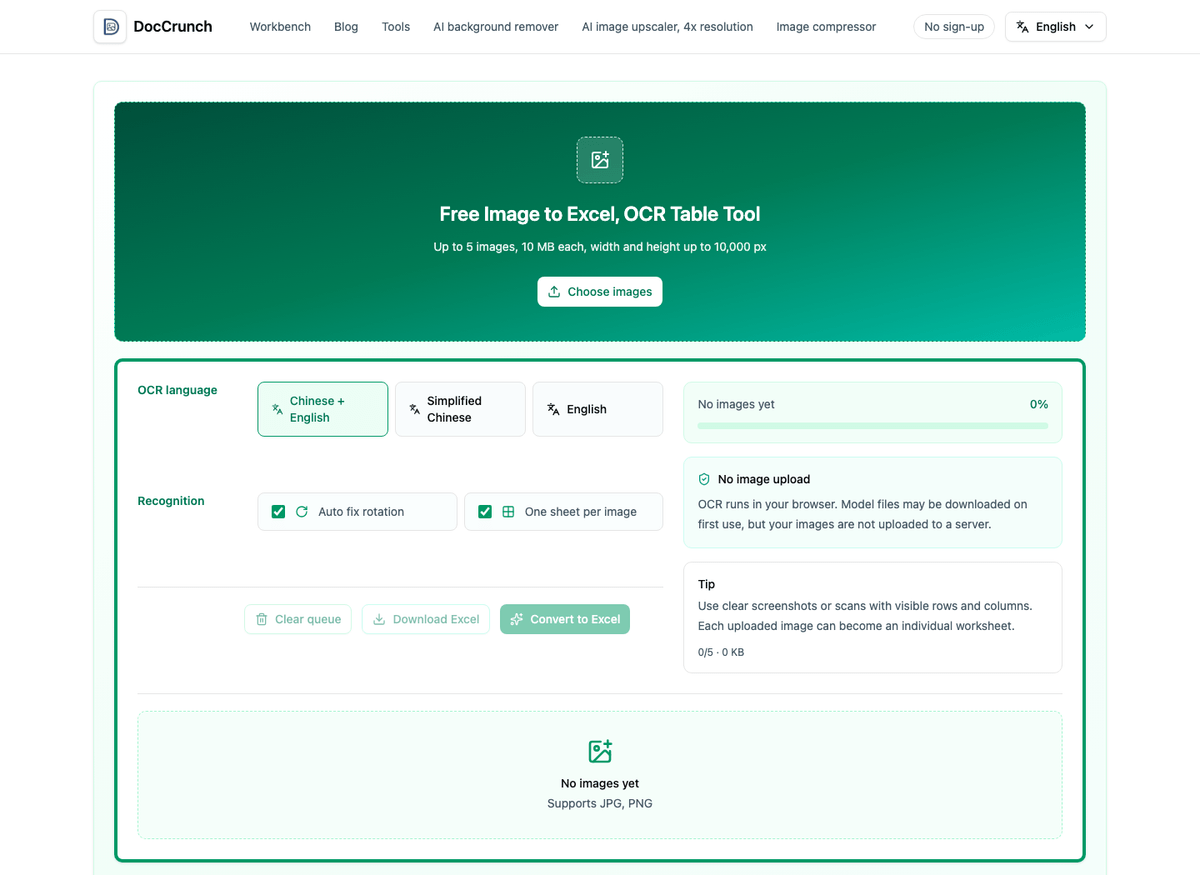
Now I try DocCrunch Image to Excel first. Drop in a table screenshot, a photo of a paper form or a scanned sheet. The tool uses OCR to detect text positions and exports an editable XLSX file.
What images work best
Image to Excel works best when the table structure is clear. Think order screenshots, expense details, inventory lists, signup forms, schedules, duty rosters and paper statistic sheets. If the rows and columns are visible, OCR can save a lot of manual entry.
It is worth setting expectations. Very blurry images, messy handwriting, many merged cells, diagonal headers or photos taken at a steep angle may require manual cleanup. The tool is best seen as a fast first draft that turns blank spreadsheet work into review work.
My usual workflow
I crop the image first and keep only the table. Chat bubbles, app buttons, ads and page edges can confuse OCR, so Image Crop helps. Then I upload the cleaned image to Image to Excel, choose the OCR language and download the XLSX.
After conversion, I always check three things: amounts, decimal points and dates. OCR is useful, but those fields are too important to trust blindly.
If the image is not a table and mostly contains paragraphs, use Image to Word instead.
Local processing matters for bills and forms
Table images often contain names, phone numbers, prices, order IDs or internal numbers. DocCrunch runs Image to Excel OCR in the browser and generates the XLSX locally, so the original image does not need to upload to a server. For bills, forms and inventory data, that is a practical privacy win.
It will not make every cell perfect, but it can turn manual entry into quick checking and cleanup. For everyday office work, that saves real time.
Try it here: Image to Excel.
Recommended DocCrunch tools
These tools run locally in the browser whenever possible, so files do not need to be uploaded to a server.
FAQ
Can a table screenshot be converted to Excel?
Yes. Clear JPG and PNG table screenshots with visible rows and columns work best.
Is the exported Excel file editable?
Yes. The recognized text is written into an XLSX file that you can edit in Excel, WPS, Numbers or similar apps.
Can complex tables be perfectly restored?
OCR estimates rows and columns from text positions. Merged cells, diagonal headers, handwriting and blurry photos may need manual cleanup.
Are my images uploaded to a server?
No. Image to Excel OCR runs locally in your browser and creates the XLSX file on your device.
Convert image to Excel
Upload a table screenshot or photographed form and export an editable XLSX file.
Image to Excel