
When Uploads Fail Because Image Size Is Wrong, Resize Before Trying Again
Resize JPG, PNG and WebP images with DocCrunch before upload. Batch change width, height, long edge or scale locally in your browser without server upload.
Many upload errors are not about the image being broken. The dimensions are simply wrong.
An avatar needs to be square. A cover image needs 1920×1080. A product photo must be at least 800px wide. A form asks for an exact width and height. You upload the original photo and the page says, “image dimensions do not meet requirements.”
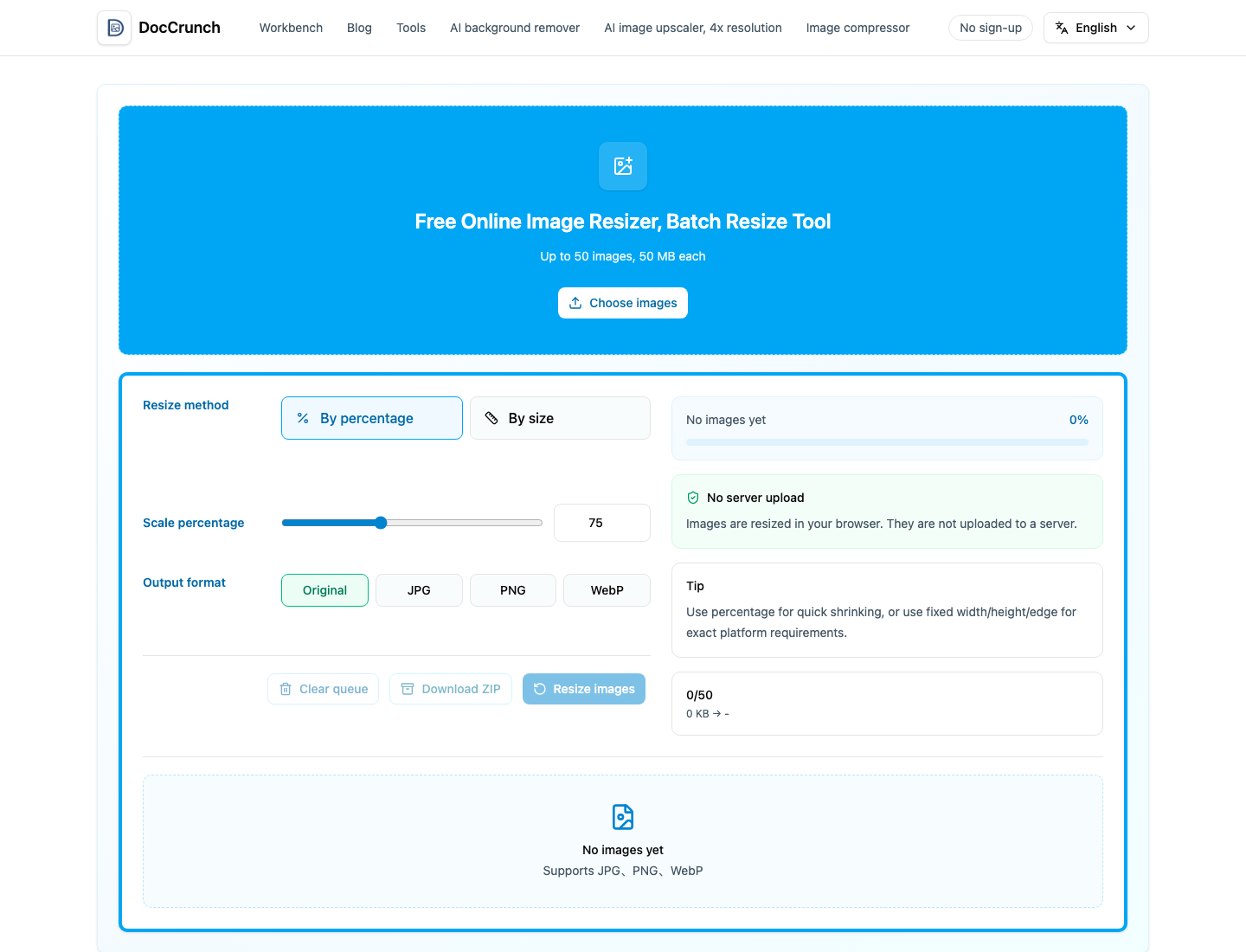
Instead of taking screenshots or opening a heavy editor, use DocCrunch Image Resize. Drop in JPG, PNG or WebP files, then choose how to resize: percentage, exact width and height, fixed width, fixed height, longest edge or shortest edge. Multiple images can be processed together and downloaded as a ZIP.
Resize or compress?
If a platform says the file is too large, use Image Compress. If it says width, height, pixels or ratio are wrong, resize or crop first.
Common cases:
- Avatars, ID photos and forms often need exact dimensions.
- Video covers and presentation backgrounds usually need a fixed ratio.
- Product photos look cleaner when the long edge or width is consistent.
- Blog images load faster when resized before upload.
If the ratio is wrong, use Image Crop first, then resize to the required pixels.
Local processing is a quiet privacy win
Some images are just casual photos. Others include faces, IDs, private screenshots or unreleased product shots. DocCrunch resizes images in your browser, so the source image does not need to upload to a server.
My usual workflow is crop ratio, resize dimensions, then compress. The result uploads more smoothly and looks more consistent.
Start here: Image Resize.
Recommended DocCrunch tools
These tools run locally in the browser whenever possible, so files do not need to be uploaded to a server.
FAQ
What is the difference between resizing and compressing an image?
Resizing changes pixel width and height. Compression mainly reduces file size. If a platform asks for exact dimensions, resize first.
Can I resize many images at once?
Yes. DocCrunch supports batch resizing for JPG, PNG and WebP images, with ZIP download for multiple files.
Do my images upload to a server?
No. Image Resize runs locally in the browser using Canvas.
Should I use percentage or exact dimensions?
Use percentage or long edge to make images smaller without distortion. Use exact width and height when a platform requires a fixed size.
Resize images online
Drop in images, choose a size rule and export upload-ready files.
Resize Images