
Stop Retyping Text From Screenshots: Convert Images to Word Online
Convert screenshots, scans and photographed documents to editable Word files with DocCrunch Image to Word OCR. Process JPG and PNG locally in your browser without server upload.
Some text is not worth typing again by hand. A meeting screenshot, a paper notice, a photographed contract or a scanned handout may look small, but retyping it line by line is slow.
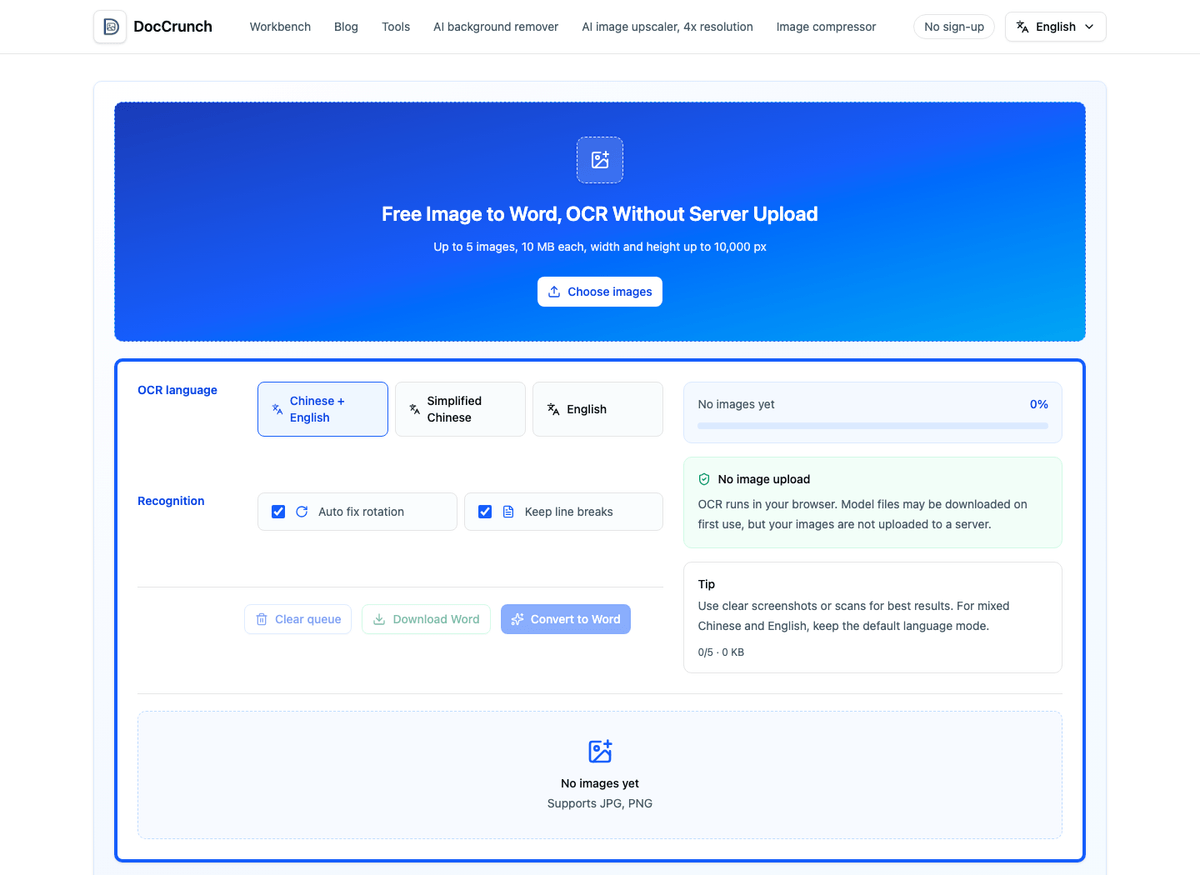
When I get text trapped inside an image, I now open DocCrunch Image to Word. Drop in a JPG or PNG, choose Chinese, English or mixed OCR, then export a DOCX file.
When image to Word is useful
Use it when the image is mostly text and you need to edit, copy, format or share the content as a document.
Common cases include:
- Text screenshots from chat apps, websites or internal systems;
- Photos of printed pages that need to become documents;
- Scanned pages where you only need the text;
- Notices, meeting notes or manuals that need editing;
- Mixed Chinese and English text where line breaks matter.
Two options are especially useful: auto rotation and keeping line breaks. If the photo is slightly tilted, let the tool try to fix it. If the page has paragraphs, keeping line breaks reduces cleanup work later.
Cleaner images produce better OCR
OCR is not magic. The clearer the text, the better the result. Take the image straight on, avoid glare and shadows, and do not use a heavily compressed screenshot. If there is extra content around the text, crop it first with Image Crop.
If the source is a PDF, choose the right route. Text-based PDFs can go straight through PDF to Word. Scanned PDFs can be exported with PDF to Image, then processed with Image to Word OCR.
Local OCR helps with private material
Images often contain names, phone numbers, contracts or internal notes. DocCrunch runs Image to Word OCR in your browser, so the original image does not need to upload to a server. The OCR model may download the first time, but the file processing stays on your device.
It is still OCR, not human proofreading. Check numbers, names and technical terms before sending the document. But for the simple job of turning image text into editable Word, it saves a lot of dull work.
Try it here: Image to Word.
Recommended DocCrunch tools
These tools run locally in the browser whenever possible, so files do not need to be uploaded to a server.
FAQ
Can screenshots and scans be converted to Word?
Yes. Clear JPG and PNG screenshots, scans and photographed documents work well with Image to Word OCR.
Is the exported Word file editable?
Yes. The recognized text is written into a DOCX file that you can edit in Word, WPS, Pages or similar apps.
Are my images uploaded to a server?
No. OCR runs locally in your browser. Model files may download on first use, but your source images do not need to upload.
How can I improve OCR accuracy?
Use clear, straight, high-contrast images. Glare, blur, handwriting and complex layouts can reduce recognition quality.
Convert image to Word
Upload a screenshot or scan, choose the OCR language and export an editable DOCX.
Image to Word