
I Had to Submit Several PDFs as One File. This Is the Simple Way I Do It Now
Merge several PDF files online with DocCrunch before submitting forms, reports or contracts. Step-by-step guide with screenshots, no sign-up and no server upload.
A small thing that used to annoy me: a form asks for “one PDF”, but my files are all separate. ID scan, contract, appendix, receipt, signature page. Sending five attachments looks messy, and some systems simply reject it.
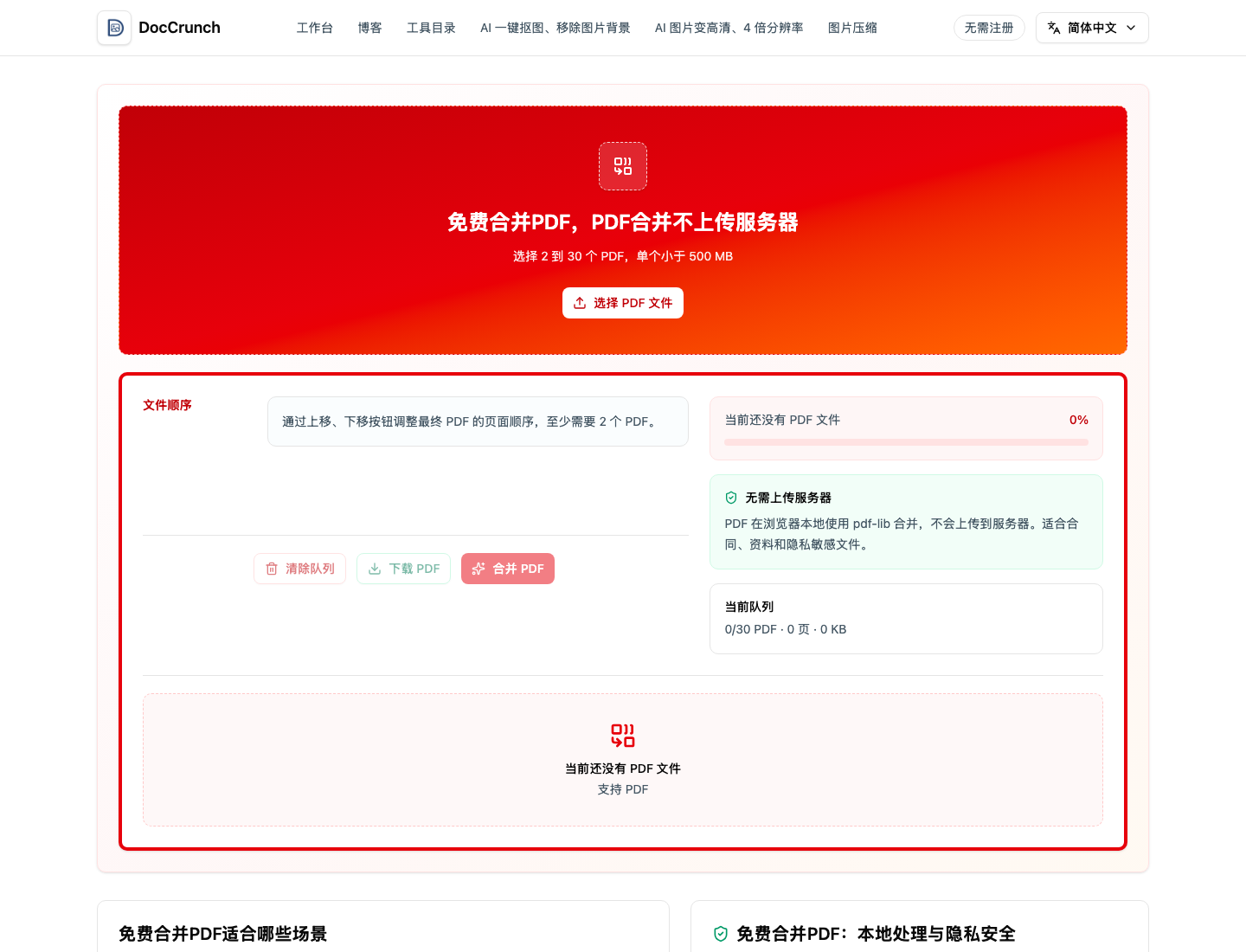
Now I use DocCrunch PDF Merge. It is not a fancy trick. It just does the one job cleanly: put several PDFs in the right order and export one file.
Operation Steps
- Open PDF Merge.
- Click Choose PDF files, or drag at least two PDFs into the page.
- Check the queue from top to bottom. This is the final order.
- Use the move up and move down buttons if a file is in the wrong place.
- Click Merge PDF.
- Download the merged file and open it once before submitting.
A few habits that save trouble
I name the files before uploading, like 01-contract, 02-appendix, 03-receipt. That makes the order easier to check. If the merged file is too big, I run it through PDF Compress before uploading.
For private files, the local processing part matters. The PDFs are merged in the browser, so the originals do not need to leave your device.
Try it here: merge PDF files online.
Recommended DocCrunch tools
These tools run locally in the browser whenever possible, so files do not need to be uploaded to a server.
FAQ
How many PDF files can I merge?
DocCrunch supports multiple PDFs on the merge page. Check the tool limit shown on the page before uploading very large batches.
Can I change the order before merging?
Yes. Move files up or down in the queue, then merge after the order looks right.
Does the PDF upload to a server?
No. PDF Merge runs locally in your browser, which is useful for contracts, reports and private files.
What should I do if the merged PDF is too large?
Use PDF Compress after merging, or remove pages you do not need before combining.
Merge PDFs into one file
Upload several PDFs, arrange the order and download one clean document.
Open PDF Merge